
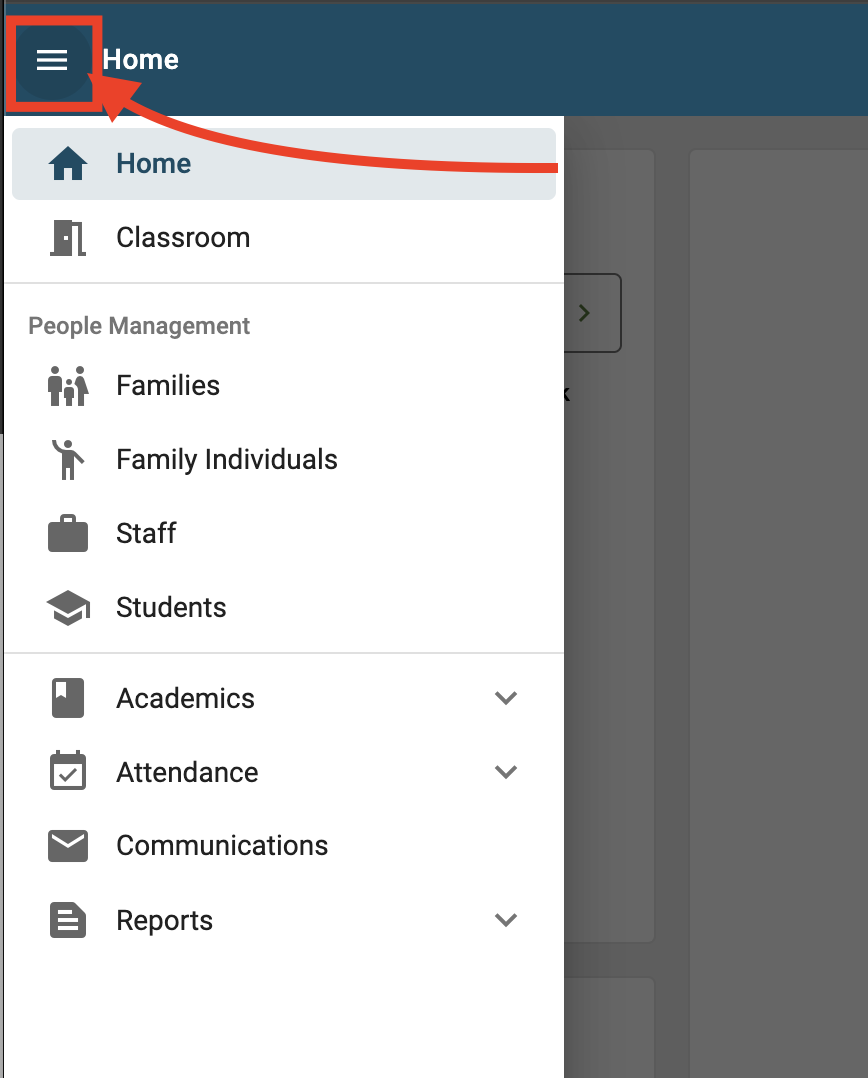
Step 1. Once logged in to FACTS; click the hamburger menu in the upper left hand corner of the screen:
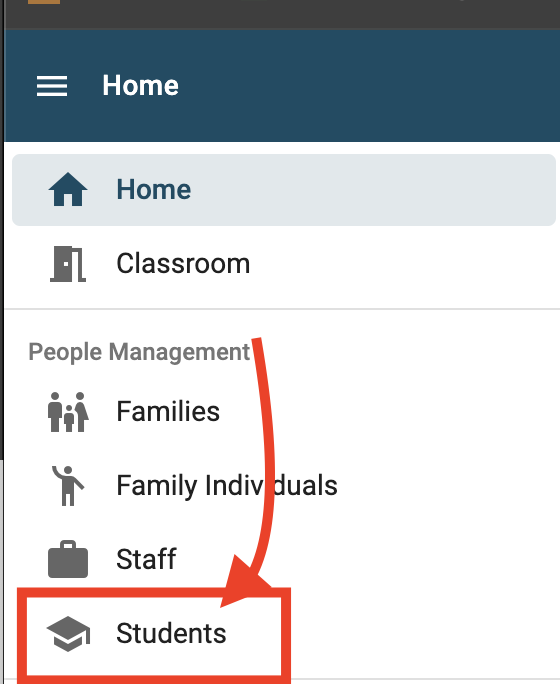
Step 2. Click 'Students'
Step 3. Search for the student you are looking for
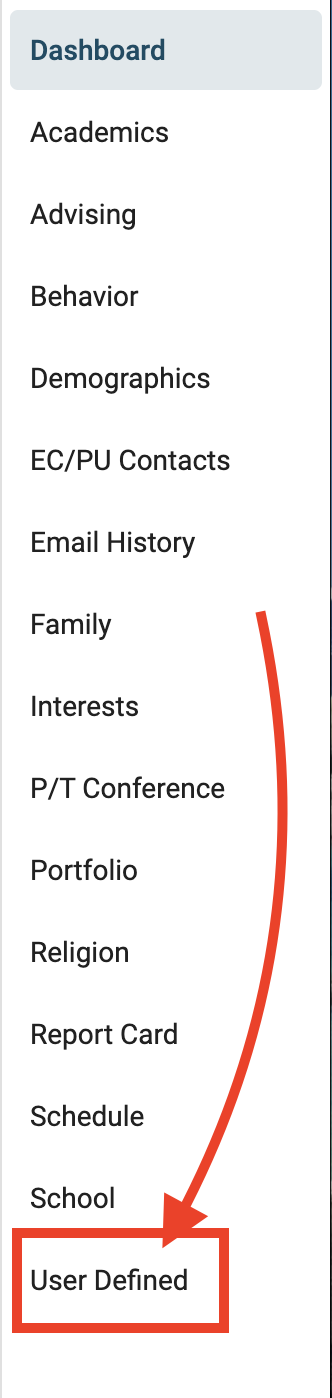
Step 4. On the student profile click 'User Defined' on right hand side
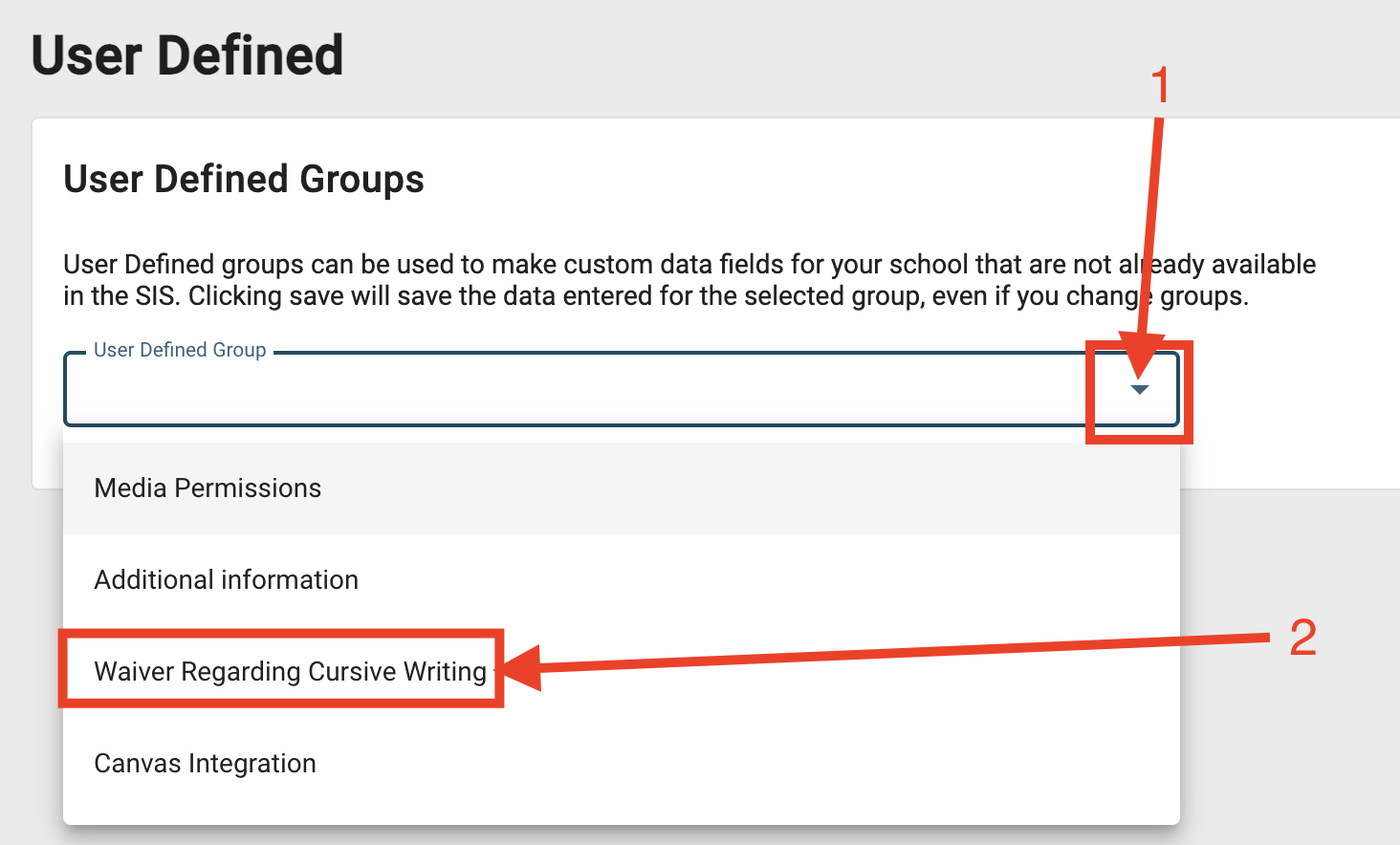
Step 5. Cick the arrow pointing down and select 'Waiver Regarding Cursive Writing'
Step 6. Please review directly below whether or not the student has been given a cursive waiver:
