
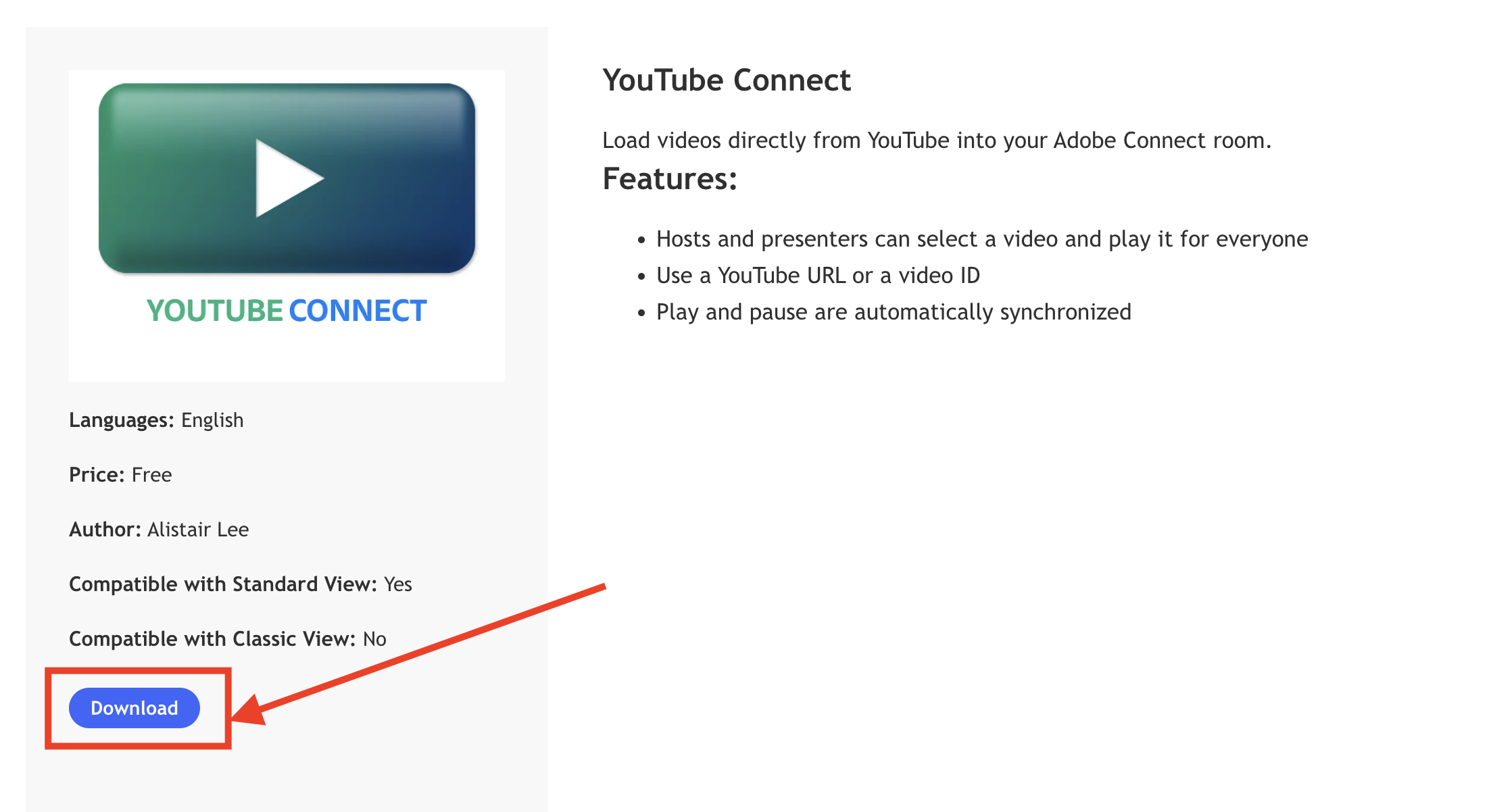
Step 1. Go to https://www.adobe.com/products/adobeconnect/apps/youtube-connect.html and click the blue 'Download' button underneath where it says 'YOUTUBE CONNECT'
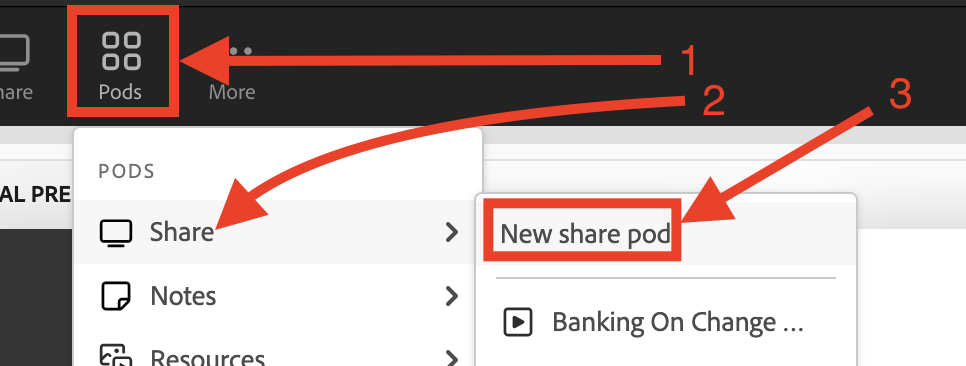
Step 2.In Adobe Connect click 'Pods' then click 'Share' then click 'New share pod'
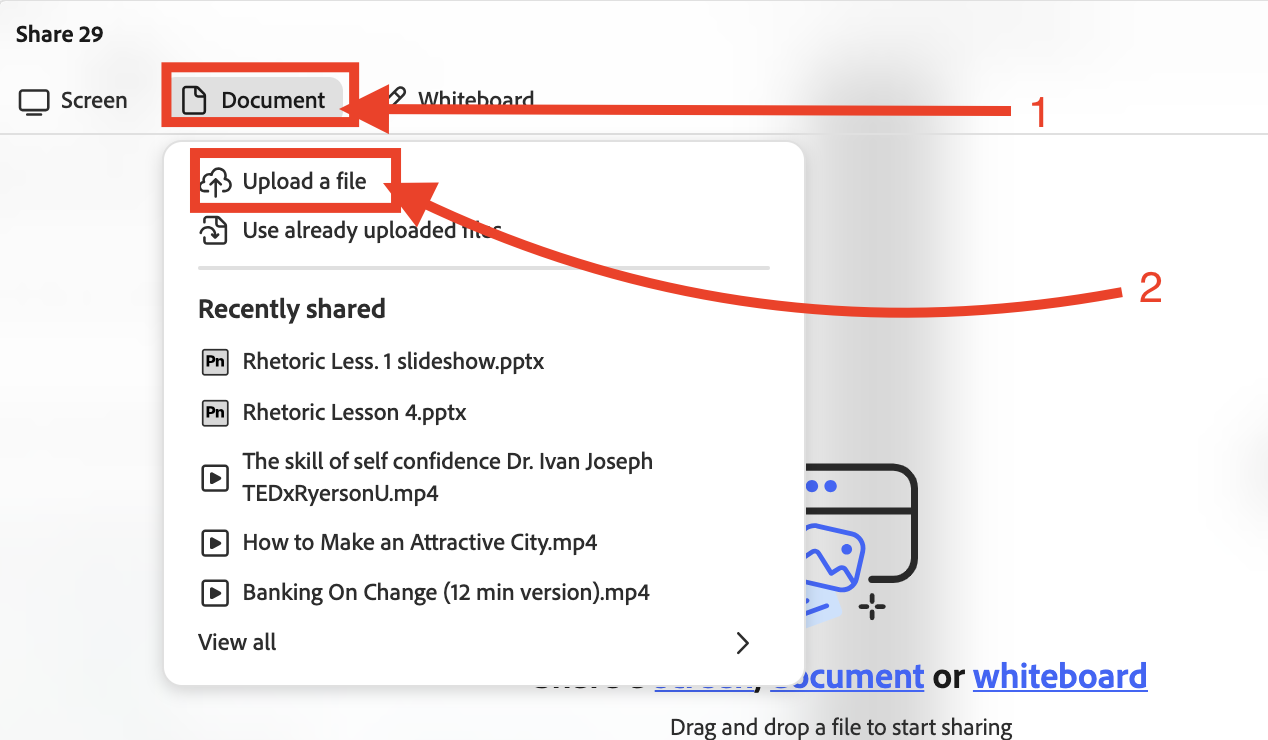
Step 3. Click 'Document' then 'Upload a file'
Step 4. Go to 'Downloads' then find the youtube pod and double click it
Step 5. Paste youtube link here: https://support.google.com/mail/answer/6579?hl=en
Step 6. Then click 'GO'
Step 7. Click play button
