
Please follow these 4 steps to view your child's report:
(TWO IMPORTANT NOTES: 1. Kindergarten students will refer to the directional here: https://fpeusa.freshdesk.com/a/solutions/articles/43000720809 2. Anytime students will show an INC until June 30th of the academic year.)
Step 1. Log into your Blackbaud Parent Portal: (Please note: Google Chrome or Mozilla Firefox usually work best with Blackbaud)
Step 2. In the upper left hand corner of the screen select the child whose report card you would like to view.

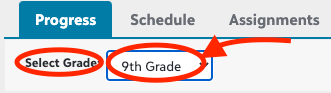
Step 3. Click on the Progress Tab. Select the grade you’d like to see.
*(Progress Tab-Select Grade)
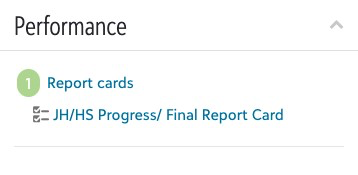
Step 4. Once a grade level has been selected, under the Progress tab you will see 'Performance' and a 'Report Cards' link. Click the 'Report Cards' link. Then select 'Progress'/Final Report Card' and your child’s report card will be generated! This may take a few seconds.
*(Performance Tab-Select Report Cards- Select Progress/Final Report Card)
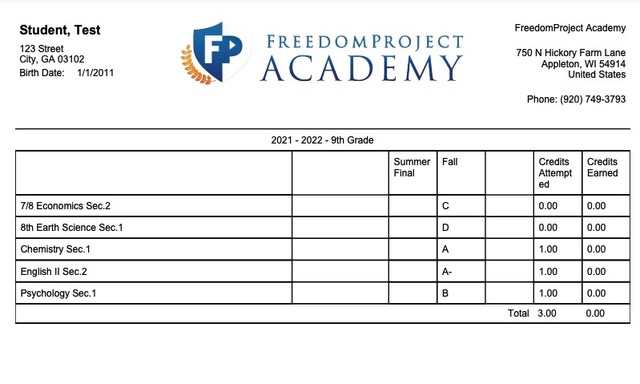
 *(Final report will look something like this)
Issue/Product | Directions on how to view a Report Card |
Version # | N/A |
Solution or Work-around | Solution |