
Step 1. In your course click on the name of the assignment you would like to add a comment too. (Make sure if you are adding a comment that the assignment is already submitted)
Step 2. Then click the button labeled ‘Add Comment:’

Step 3. On the window pop up from the side click the cop icon
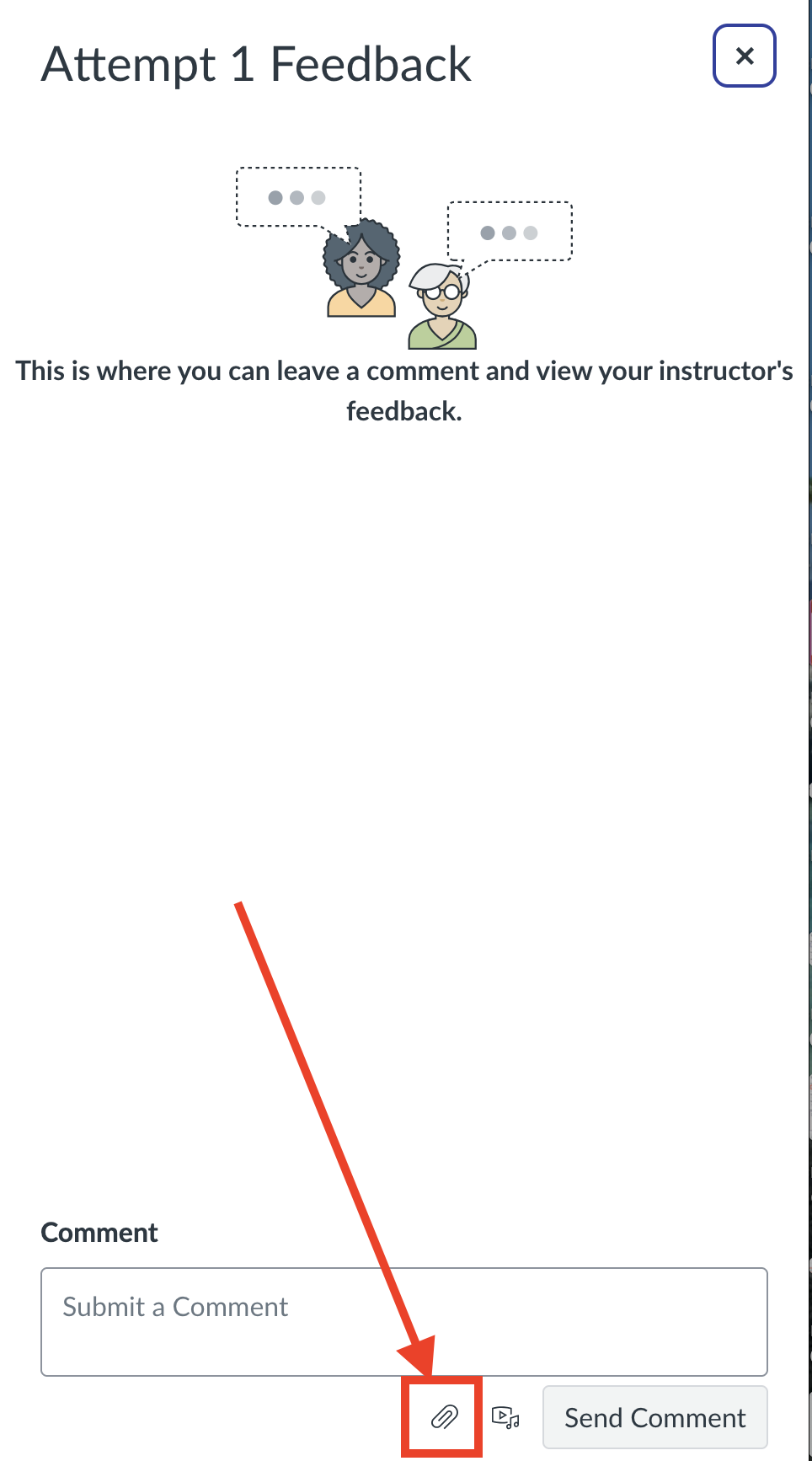
Step 5. Then find the file you want to attach and double click it
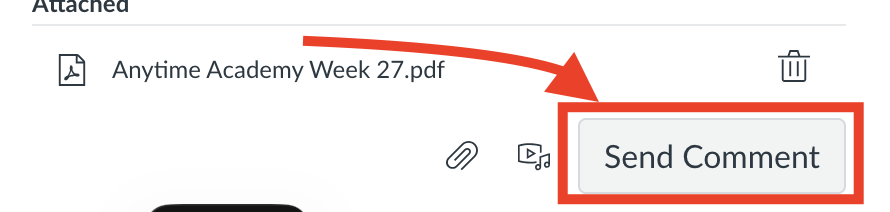
Step 6. Then click 'Send Comment'
Issue/Product | How to attach a document as a comment on an assignment |
Version # | 1.0 |
Solution or Work-around | Solution |